Ayoa for Project Management: Benefits, Tools, and Best Practices
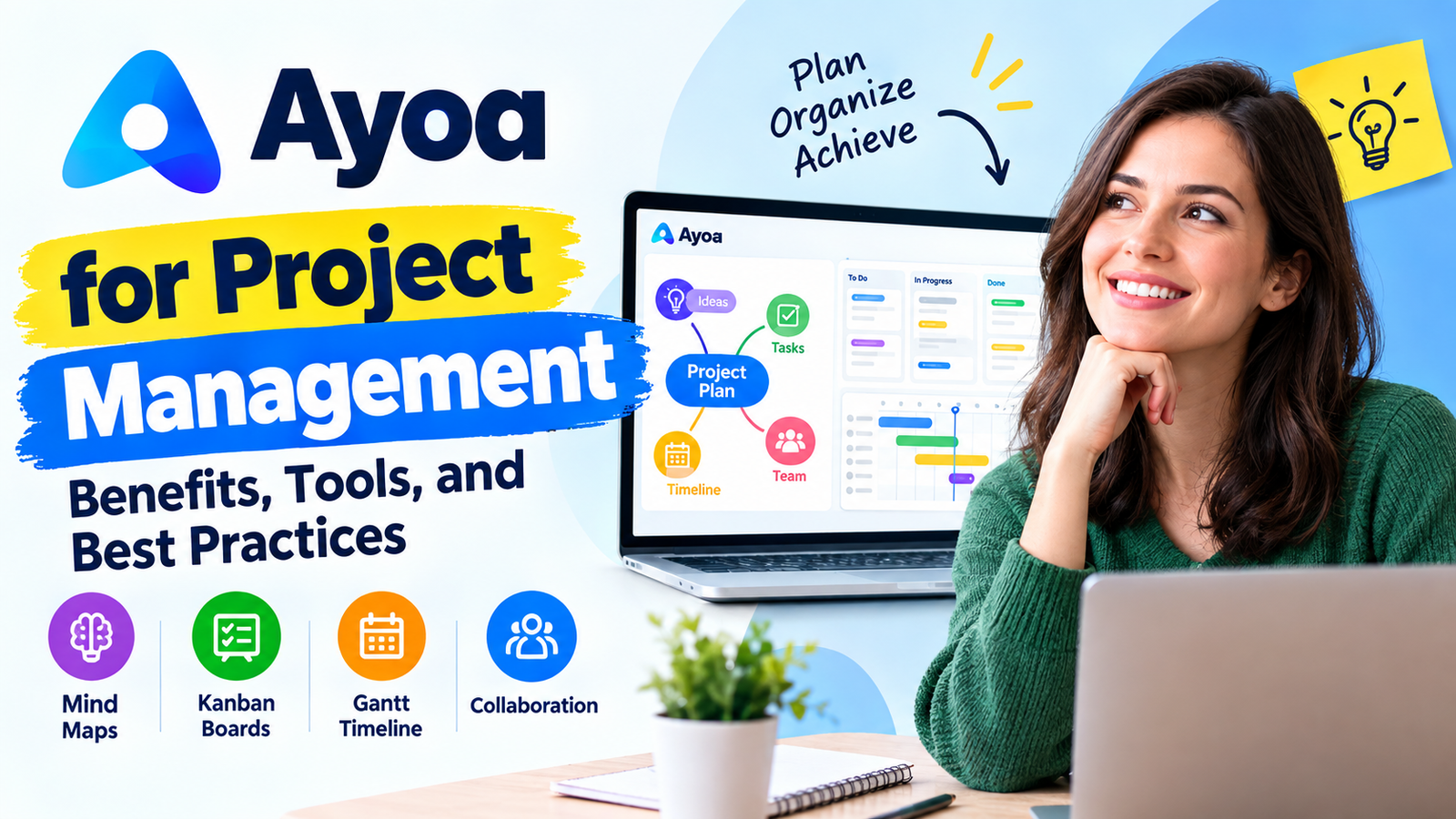
Project management can quickly become complicated when ideas live in one application, tasks are tracked in another, deadlines sit inside a calendar, and team discussions happen somewhere else. Ayoa takes a different approach by bringing mind mapping, task management, collaboration, whiteboarding, workflow management, and Gantt-style planning into one workspace. That makes it particularly interesting for teams that need to move from an early idea to a practical project plan without constantly jumping between tools. Ayoa describes its platform as an all-in-one workspace, and its current feature set includes mind maps, task boards, whiteboards, document and outline views, workflow management, and Gantt timelines.
The real question, though, is whether those features actually make Ayoa useful for project management, rather than simply making it another productivity application with a long feature list. The answer depends largely on how your team works. If your projects begin with brainstorming, research, planning, and lots of visual thinking, Ayoa has a natural advantage because ideas can become tasks inside the same environment. If you prefer a highly structured project-management system built primarily around conventional lists, databases, or complex enterprise reporting, you may find Ayoa’s visual approach different from what you are accustomed to. This guide explores how Ayoa works for project management, which tools matter most, what benefits teams can expect, and how to use the platform effectively.
Table of Contents
What Is Ayoa for Project Management?
Ayoa is a productivity and collaboration platform that combines visual thinking with practical task management. Instead of treating brainstorming and execution as two completely separate stages, the platform connects them so that teams can develop an idea and then turn that idea into an actionable plan. Its current project-management capabilities include visual task boards, Kanban-style workflows, Gantt timelines, task assignments, deadlines, dependencies, progress tracking, calendars, collaboration, and whiteboards.
This makes Ayoa particularly appealing for projects where the initial challenge is not simply “What task should we complete?” but rather “What exactly are we trying to accomplish, and how should we organize it?” Think of it like building a house. A traditional task-management application may start with a list of construction tasks, while Ayoa can help you sketch the blueprint first, identify the major rooms and components, and then turn those components into tasks. That combination can make complicated projects easier to understand before the team starts assigning responsibilities and chasing deadlines.
How Ayoa Combines Ideas and Execution
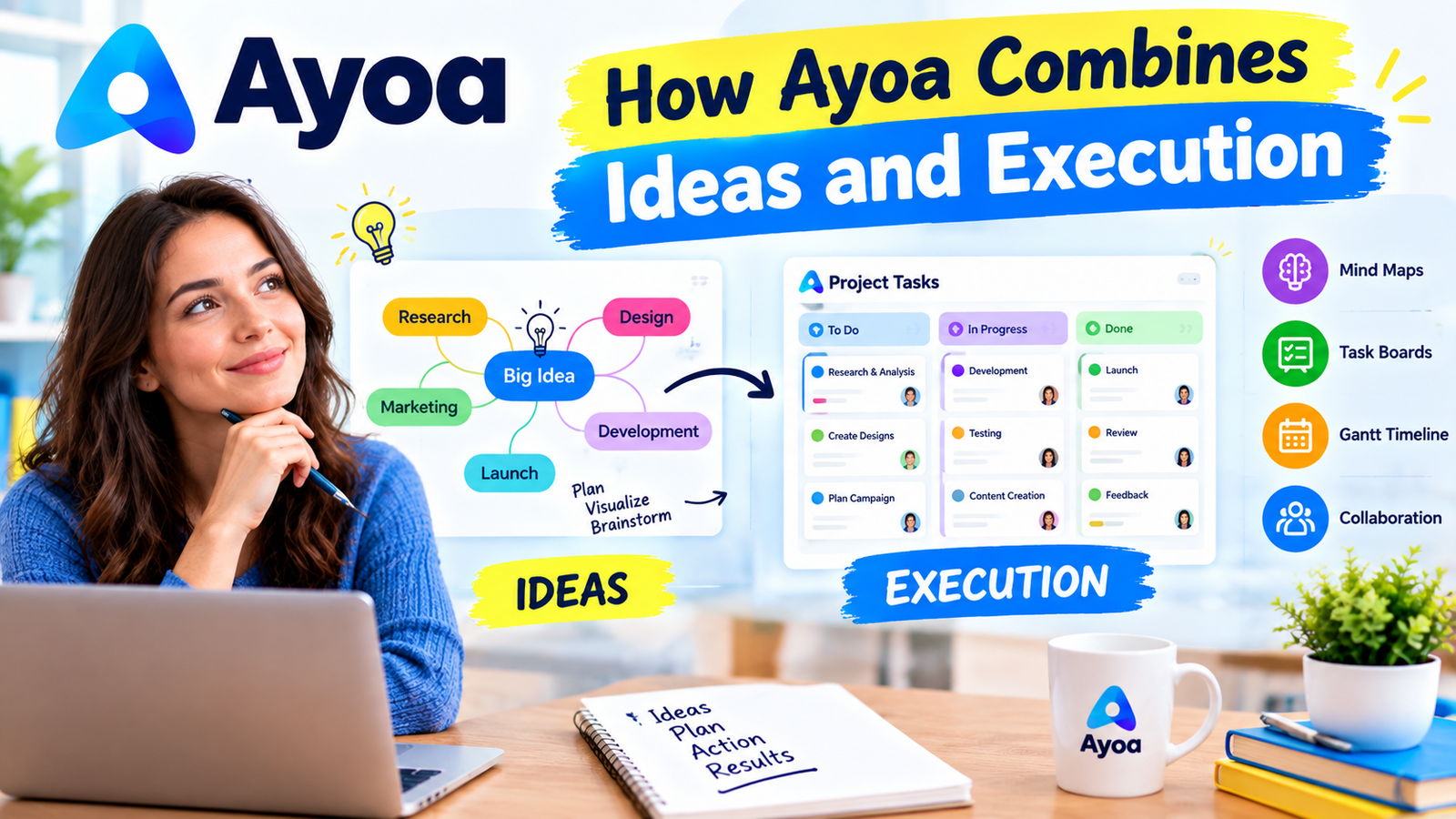
One of Ayoa’s most distinctive characteristics is the connection between mind mapping and project execution. The platform’s mind maps are designed to help users visually organize ideas, while task-management features provide a path for turning those ideas into actual work. Ayoa also provides whiteboards, outlines, document views, workflow boards, and Gantt timelines, giving teams multiple ways to look at the same project depending on the stage of work.
This can be useful when a project changes shape over time. A marketing team, for example, might begin with a mind map around a product launch. The team could branch that map into content, advertising, social media, landing pages, email campaigns, analytics, and launch operations. Those ideas can then become actionable tasks, receive owners and deadlines, and eventually be displayed through a workflow or Gantt timeline. Instead of throwing away the original brainstorming document once execution begins, the original thinking can remain connected to the project.
Why Use Ayoa for Project Management?
The biggest reason to use Ayoa for project management is its visual approach to organizing work. Many project-management tools are excellent at displaying lists of tasks, but lists can become overwhelming when a project contains dozens or hundreds of interconnected pieces. Ayoa gives teams several visual perspectives, allowing them to move between a broader project picture and the individual tasks that need attention. Its current feature set includes Canvas, Workflow/Kanban, Gantt Timeline, calendar planning, and other task views.
Another advantage is that Ayoa reduces the distance between planning and execution. Teams can brainstorm an initiative, structure the information, assign work, set dates, and track progress without necessarily moving the project into a completely different platform. This can reduce the friction created by switching between multiple applications. Ayoa itself emphasizes this “everything in one place” approach, combining idea generation, task management, collaboration, and communication in a single workspace.
Visual Project Planning
Visual planning can be especially valuable when the project is complex or when different stakeholders understand information in different ways. A timeline might make perfect sense to a project manager, while a mind map may be easier for a creative team to understand. A Kanban board can make workflow status immediately obvious, while a calendar provides a more practical view of what needs to happen on specific dates.
Ayoa allows teams to work with these different perspectives instead of forcing every person to consume project information in the same format. The platform’s Gantt timeline, for instance, displays tasks, milestones, relationships, and target completion dates across time. Ayoa’s support documentation also explains that projects can be started through different primary views and later switched into Gantt Timeline view. This flexibility can make project planning easier because the team does not have to commit to one visualization from the beginning.
Centralized Task Management
Centralization is another important benefit. A task is rarely just a title and a deadline. It might require an owner, notes, attachments, checklists, comments, tags, dependencies, progress information, and supporting documents. Ayoa’s task-management system includes these types of details and provides tools for assigning tasks, setting dates, adding attachments, comments, checklists, tags, dependencies, and progress information.
The practical benefit is simple: team members have a better chance of finding the context they need without searching through several disconnected applications. Imagine a content project where a writer is assigned an article. Instead of receiving the topic in a chat message, the deadline in an email, the keyword research in a spreadsheet, and the content brief in a document, the project can organize much of that information around the task. That does not automatically guarantee better execution, but it creates a cleaner operating environment.
Key Ayoa Project Management Tools
Ayoa’s project-management strength comes from the way several tools work together rather than from one individual feature. The platform currently promotes mind maps, whiteboards, document views, Workflow/Kanban boards, Gantt timelines, calendar planning, collaboration, and task-management functionality.
Mind Maps and Brainstorming
Mind mapping is arguably the feature that makes Ayoa different from many conventional project-management applications. Instead of beginning with a flat list, teams can start with a central idea and branch into related concepts, activities, questions, and deliverables. Ayoa’s mind-mapping system supports multiple mapping approaches, and its current platform also includes AI-powered idea-generation capabilities on its Ultimate plan.
This is particularly useful during project discovery. Suppose a company wants to redesign its website. The initial project could branch into research, UX, information architecture, copywriting, design, development, SEO, analytics, testing, and launch. Each branch can then become more detailed as the team understands the project. This is much closer to how people often think about complicated projects naturally: not as a straight line, but as a network of connected ideas.
Kanban-Style Workflow Boards
Ayoa’s Workflow view is inspired by the Kanban approach, giving teams a visual way to understand where tasks currently sit in the process. The platform describes its Workflow board as a way to move tasks through a process toward completion.
For a content team, a workflow might include research, writing, editing, SEO review, client approval, publishing, and promotion. Each task can move through these stages as work progresses. The advantage is immediate visibility. Rather than asking everyone for a status update, a project manager can inspect the board and see which work is waiting, active, completed, or blocked.
Gantt Timeline
For projects with important dates and dependencies, the Gantt Timeline is one of Ayoa’s most valuable project-management features. It provides a timeline-based view of tasks, categories, relationships, milestones, and completion dates. Ayoa’s current support documentation confirms that Gantt Timeline projects can display work across days, weeks, months, or even years.
This becomes particularly useful when one delay can affect several later activities. For example, a product launch might require design approval before development can begin, and development may need to finish before testing starts. Mapping these relationships visually gives the project manager a much clearer understanding of how the schedule behaves. Instead of simply seeing ten tasks with ten dates, the team can understand how those tasks interact.
Collaborative Whiteboards
Projects often begin with conversations rather than task lists. Ayoa’s collaborative whiteboard provides a freeform environment where teams can use text, sticky notes, images, links, flowcharts, and other visual elements.
This makes the whiteboard particularly useful for workshops, strategy meetings, discovery sessions, and remote collaboration. A team could use the whiteboard to collect customer problems, organize research findings, sketch a process, or map out a new campaign. Once the thinking becomes clearer, the team can move toward structured tasks and project views.
Ayoa Features That Improve Team Productivity
Ayoa’s project-management system includes several features designed to make day-to-day execution easier. Teams can assign responsibility, set due dates, use checklists, attach files, add comments, track progress, filter tasks, and work with dependencies. The platform also provides calendar views and daily planning capabilities, helping individual contributors connect their project responsibilities with their personal workload.
This matters because project management is not simply about creating a plan. The real challenge starts after the plan exists. People need to know what they own, what is urgent, what is blocked, what is coming next, and whether the overall project is still moving toward its deadline. A good project-management system should therefore function like a cockpit: it should not perform the work for the team, but it should make the important information visible at the right moment.
Task Assignments, Deadlines, and Dependencies
Clear ownership is one of the foundations of successful project management. Ayoa allows tasks to be assigned to team members and supports dates, reminders, dependencies, comments, attachments, and other task information.
A useful practice is to make every meaningful project task answer three questions: Who owns it? When is it due? What needs to happen before it can be completed? Without those three elements, a task can easily become a vague intention. Assigning responsibility creates accountability, while deadlines create urgency and dependencies show the sequence in which work needs to happen.
Progress Tracking and Calendar Planning
Ayoa also supports progress tracking and calendar-oriented planning. Its feature documentation highlights task progress percentages, daily summary emails, due dates, filters, and a My Calendar view that brings tasks from different boards into one place.
This is useful because project-level planning and personal-level planning are different things. A project manager needs to understand the overall roadmap, while an individual team member needs to know what should happen today. When those views connect, the project becomes more actionable. A large strategy stops feeling like an abstract plan and becomes a sequence of concrete actions.
Benefits of Ayoa for Different Teams
Ayoa can be particularly useful for creative teams, marketing departments, agencies, educators, consultants, product teams, and distributed teams that combine brainstorming with execution. Its visual tools can help teams organize ambiguous projects where the solution is not immediately obvious. Instead of beginning with a rigid task structure, the team can explore possibilities first and structure the project afterward.
For marketing agencies, this could mean starting a campaign with a mind map and then converting the major branches into tasks. For product teams, it could mean mapping customer problems before building a roadmap. For educators, it could involve using mind maps and whiteboards for lesson planning before turning activities into deadlines. The flexibility makes Ayoa more than a simple to-do list, particularly for teams whose work changes as new ideas emerge.
The platform also places emphasis on inclusive and customizable working styles. Its current offering includes features such as dyslexia-friendly modes, Auto Focus, customizable interface options, and tools designed to support different thinking styles. That can be valuable for organizations where accessibility and cognitive flexibility are important considerations.
Ayoa Pricing and Plans
access to the broader collection of project-management, collaboration, AI, mind-mapping, and productivity features. According to Ayoa’s current pricing page, the free version allows users to create up to 10 mind maps, while features such as editable task boards, whiteboards, AI functionality, and broader collaboration capabilities are associated with paid access. Ayoa also currently offers monthly and annual billing, with annual billing advertised as offering savings of up to 20% compared with monthly billing.
Ayoa’s current website lists Ayoa Ultimate from $13 per user per month when billed annually, although pricing can change and may vary depending on billing terms, region, promotions, or plan structure. For businesses evaluating the platform, it makes sense to check the official pricing page before making a purchasing decision.
Ayoa option | Best suited for | Key consideration |
Free | Individuals testing Ayoa | Limited feature access |
Ultimate | Individuals and teams needing the full workspace | Includes advanced project and collaboration features |
Annual billing | Teams looking for lower effective monthly pricing | Current pricing page advertises savings versus monthly billing |
The free version can be useful for evaluating whether Ayoa’s visual workflow fits your way of working. For serious commercial use, organizations should pay attention to licensing because Ayoa states that its free version is intended for personal use, while commercial use requires a paid plan.
Ayoa vs Traditional Project Management Tools
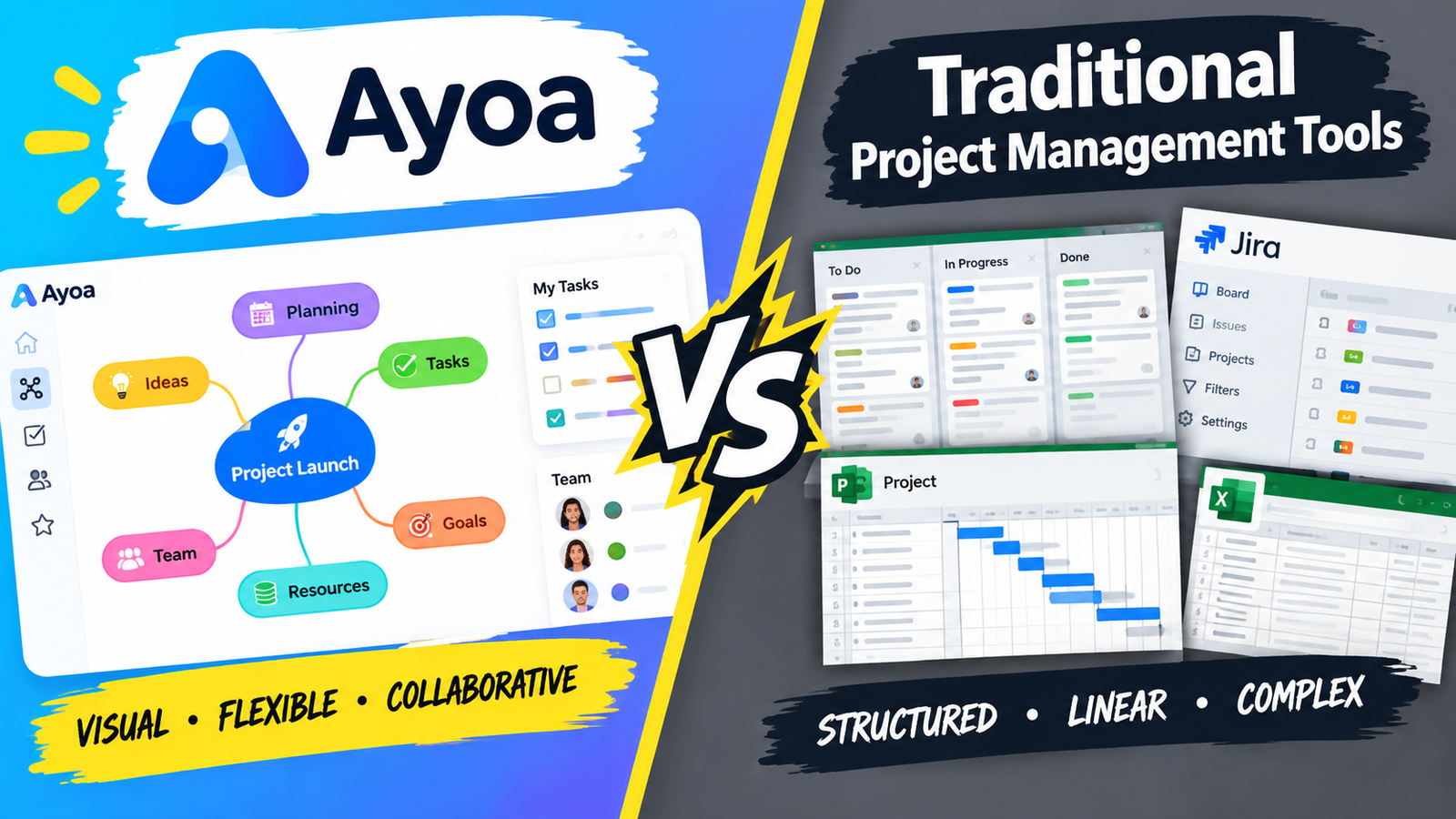
The biggest difference between Ayoa and conventional project-management software is its emphasis on visual thinking before and alongside execution. Traditional platforms often excel at structured task databases, reporting, workload management, or highly standardized workflows. Ayoa instead puts mind mapping, visual planning, whiteboarding, and project execution closer together.
That does not mean Ayoa is automatically better. It means it is optimized for a somewhat different experience. A team managing a highly repetitive process may prefer a more structured workflow system, while a creative team working through uncertain ideas may appreciate the freedom of Ayoa’s maps and whiteboards. The right question is therefore not simply “Which tool has more features?” but “Which tool matches the way our projects actually develop?”
Ayoa’s own comparison materials position its advantage around combining mind mapping with task management, Kanban workflow, Gantt planning, whiteboards, and related capabilities within the same platform.
Best Practices for Using Ayoa Effectively
The first best practice is to start with the project outcome, not the task list. Before creating dozens of individual tasks, define what success looks like. Then use a mind map or whiteboard to break that outcome into major areas of work. Once the structure makes sense, convert the appropriate branches into actionable tasks.
The second best practice is to avoid overloading the project board. A visual board only remains useful when the information is understandable. Use categories, subcategories, tags, and clear task names to create structure rather than adding unnecessary complexity. A task called “Website” is vague, while “Approve homepage wireframe” gives a team member something concrete to complete.
The third best practice is to make dependencies visible for projects where sequence matters. If Task B cannot start until Task A is complete, represent that relationship rather than relying on memory. Ayoa’s task-management system supports dependencies, while its Gantt Timeline provides a visual way to understand how work relates across time.
Finally, establish a regular review rhythm. A project board is only useful when it reflects reality. Schedule a weekly project review to check overdue work, blocked tasks, upcoming milestones, ownership, and overall progress. For larger projects, use the Gantt timeline for strategic review and the workflow board for daily execution. This simple separation keeps the team from trying to use one view for every purpose.
Pros and Cons of Ayoa
Pros | Cons |
Combines mind mapping and project management | The visual approach may feel unfamiliar to traditional PM users |
Includes Workflow/Kanban and Gantt views | Advanced features require a paid plan |
Collaborative whiteboards support brainstorming | Teams wanting highly specialized enterprise PM features may need another platform |
Supports task assignments, dependencies, dates, and progress | Feature-rich platforms can require time to establish good workflows |
Multiple views accommodate different working styles | Free plan has meaningful limitations |
AI-powered features are available on Ultimate | AI and premium functionality are not included in the free version |
Useful for creative and idea-heavy projects | May be more functionality than a simple task-based team needs |
The strongest argument for Ayoa is its ability to connect creative thinking with structured execution. The main drawback is that this flexibility may not be necessary for every organization. If your team only needs a simple checklist and deadline tracker, Ayoa could feel more sophisticated than necessary. But if your projects frequently begin with brainstorming and evolve into complex plans, the additional visual tools can be genuinely useful.
Is Ayoa Good for Project Management?
Yes, Ayoa can be a strong project-management solution, especially for teams that benefit from visual planning and creative collaboration. Its current feature set goes well beyond basic mind mapping: it includes task boards, Kanban-style workflows, Gantt timelines, task assignments, dependencies, progress tracking, calendars, whiteboards, collaboration, and AI-powered functionality on higher-tier plans.
Its biggest differentiator is the connection between thinking and doing. A project does not have to begin as a perfectly defined list of tasks. You can explore ideas, organize them visually, identify the major components, and then gradually convert those components into structured work. That makes Ayoa particularly compelling for marketing, creative, strategy, education, consulting, and other environments where the path from idea to finished deliverable is not always linear.
The platform also continues to position itself as an all-in-one workspace rather than simply a task tracker. Its current product materials emphasize the combination of mind maps, whiteboards, outlines, workflow boards, Gantt timelines, collaboration, and task management.
Conclusion
Ayoa for project management stands out because it treats project planning as more than a collection of checkboxes. It brings mind mapping, brainstorming, task management, Kanban workflows, Gantt timelines, calendars, whiteboards, and collaboration into one environment. That combination can be especially valuable when a project begins with uncertain ideas and gradually develops into a structured execution plan.
The best way to use Ayoa is not to activate every feature at once. Start with a clear outcome, map the major areas of work, convert important ideas into tasks, assign ownership, establish deadlines, add dependencies where necessary, and then use the appropriate view for the job. Use mind maps for exploration, Workflow for day-to-day execution, Gantt for timelines and dependencies, and calendar views for personal planning.
Ultimately, the value of Ayoa depends on the match between the tool and the team’s working style. For organizations that want to connect creative thinking with practical project management, Ayoa offers a compelling all-in-one approach. For teams that need only basic task tracking or highly specialized enterprise project controls, comparing alternatives may still be worthwhile.
Its biggest differentiator is the connection between thinking and doing. A project does not have to begin as a perfectly defined list of tasks. You can explore ideas, organize them visually, identify the major components, and then gradually convert those components into structured work. That makes Ayoa particularly compelling for marketing, creative, strategy, education, consulting, and other environments where the path from idea to finished deliverable is not always linear.
The platform also continues to position itself as an all-in-one workspace rather than simply a task tracker. Its current product materials emphasize the combination of mind maps, whiteboards, outlines, workflow boards, Gantt timelines, collaboration, and task management.
Frequently Asked Questions
1. What is Ayoa used for in project management?
Ayoa can be used for project planning, brainstorming, task management, team collaboration, workflow tracking, scheduling, and timeline management. Its project-management features include Workflow/Kanban boards, Gantt timelines, task assignments, dependencies, progress tracking, calendars, and collaborative whiteboards.
2. Does Ayoa have a Gantt chart?
Yes. Ayoa includes a Gantt Timeline view that allows users to visualize tasks, milestones, relationships, and completion dates across a timeline. Ayoa’s documentation states that projects can be viewed across days, weeks, months, or years.
3. Is Ayoa free for project management?
Ayoa has a free version, but the free plan has limitations. Ayoa’s current pricing information states that free users can create up to 10 mind maps, while premium functionality such as editable task boards, whiteboards, AI features, and additional collaboration capabilities requires paid access.
4. Is Ayoa suitable for teams?
Yes. Ayoa supports real-time collaboration, task assignments, team workflows, shared mind maps, whiteboards, and communication features. These capabilities make it suitable for teams that need to collaborate on both project ideas and execution.
5. What makes Ayoa different from other project management software?
Ayoa’s main differentiator is its combination of mind mapping and project management. Instead of separating brainstorming from task execution, it allows teams to develop ideas visually and then organize those ideas into actionable project work. That makes it particularly attractive for creative, strategic, and idea-driven projects.
Table of Contents
You May Also Like

Is Coverwise.co.uk Worth It? A Complete Travel Insurance Review

Why Businesses Choose Helcim (US) for Secure Payment Processing

5G vs Fiber Broadband: Which One Is Right for You?
Section Title