

The Ultimate Guide to Using ActivTrak for Better Workforce Productivity
ActivTrak is a workforce analytics and productivity platform designed to help organizations understand how work gets done across computers, applications, websites, teams, and work schedules. Rather than relying only on timesheets or assumptions about employee performance, it uses work-activity data to reveal patterns that can help managers and employees make better decisions. Businesses can use it to examine working habits, understand technology usage, identify workload concerns, and improve the way teams organize their day. The platform is especially relevant for organizations with remote, hybrid, and office-based employees whose work often happens through digital tools.
ActivTrak’s purpose is not simply to count hours spent at a desk. Its workforce offering includes activity tracking, workforce management, and productivity optimization, while its separate Workflow offering helps organizations understand processes and identify opportunities for improvement through automation, AI, or redesigned work. These capabilities make the platform useful for companies that want to improve efficiency without depending entirely on manual reporting. The exact features available depend on the plan and any add-ons an organization has selected.
Table of Contents
How Workforce Analytics Supports Productivity
Workforce productivity can be difficult to measure because employees perform different kinds of tasks throughout the day. A customer support representative may spend much of the day communicating with customers, while a designer may need long periods of uninterrupted concentration. A manager who judges both employees using the same activity pattern could misunderstand their actual contribution. Workforce analytics helps provide context by showing how work time is distributed and how activity patterns change across days, weeks, or teams.
ActivTrak can help organizations move from broad assumptions to more informed questions. For example, if a team appears to be working longer hours but completing the same amount of work, managers can investigate whether meetings, repetitive processes, or technology problems are creating friction. If employees have unusually fragmented workdays, the organization may need to rethink meeting schedules or communication expectations. The value comes from using the data to identify a problem, discussing it with the people involved, and testing a practical improvement rather than treating a dashboard score as a complete picture of performance. ActivTrak offers productivity trends, activity summaries, workload-related insights, and workforce visibility to support this kind of analysis.
Key Features of ActivTrak
Employee Activity and Productivity Insights
One of ActivTrak‘s central capabilities is helping organizations understand activity across applications and websites used for work. Businesses can categorize tools according to their relevance to particular roles, teams, or job functions, making it easier to distinguish work-related activity from activity that does not support business objectives. This can be useful when a company wants to understand whether its employees have the right tools or whether certain applications are consuming more time than expected. The goal should be to assess how technology supports work, not to assume that every minute in a particular application represents meaningful output.
Activity data becomes more useful when it is reviewed over a reasonable period. A single day may be affected by training, meetings, deadlines, technical problems, or an unusual assignment. Weekly and monthly patterns can provide a more balanced view and help managers identify changes that deserve attention. ActivTrak provides activity reporting and productivity trends that can be reviewed at different levels, depending on the package and user permissions.
Workforce Analytics and Reporting
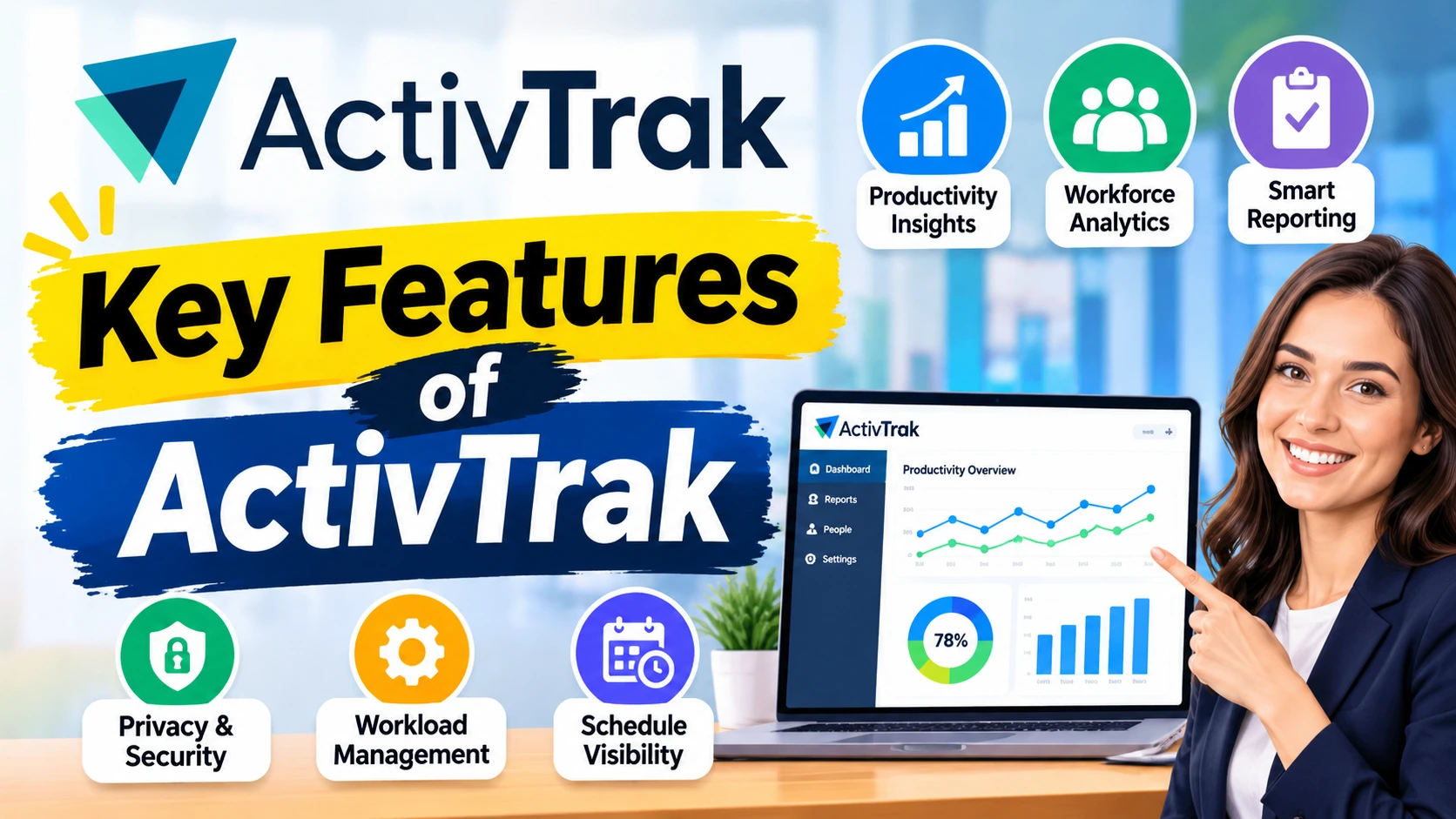
Reports help turn raw activity into information that managers can actually use. ActivTrak provides dashboards and reporting options for reviewing productivity trends, work schedules, activity summaries, and workforce utilization. Depending on the package, users may also be able to export data, subscribe to reports, or connect ActivTrak information to business intelligence tools. These options allow organizations to share relevant findings with decision-makers without requiring everyone to manually inspect the same dashboard.
A good report should answer a specific business question. Instead of asking, “Who had the highest activity score?” a manager might ask, “Which process is causing our support team to spend more time on administrative work?” That change in focus makes analytics more actionable because it directs attention toward workflow design, staffing, and technology choices. ActivTrak’s reporting and analytics features can support comparisons across teams and time periods, but managers should always interpret results in the context of each employee’s responsibilities and the quality of their work.
Workload and Focus Analysis
Productivity is not only about doing more work; it is also about having a manageable amount of work and enough time to complete it well. When employees are overloaded, they may work longer hours, switch frequently between tasks, or struggle to maintain concentration. On the other hand, an employee with unused capacity may be able to support another project or take on additional responsibilities. Workforce analytics can help managers identify these patterns before they become persistent problems.
ActivTrak promotes workload balance, productivity optimization, and coaching opportunities as part of its platform. Managers can use these insights to investigate whether tasks are distributed fairly, whether work schedules match actual demands, and whether teams have the capacity to take on new assignments. A sensible approach is to treat unusual patterns as a starting point for conversation rather than proof that someone is underperforming. Employees may be handling complex tasks, supporting colleagues, or performing work that is not fully reflected in activity data.
How to Get Started With ActivTrak
Setting Up Your Workspace
A successful ActivTrak rollout begins with a clear plan rather than immediately installing software across every device. Before setup, decide what your organization wants to improve: perhaps schedule visibility, workload balance, technology utilization, or the ability to understand productivity patterns across remote teams. Choose a small group or department for an initial pilot, and explain what data will be collected, who can access it, and how the information will be used. This gives employees an opportunity to understand the purpose of the system and raise questions before it becomes part of their daily work.
Once the organization has selected a suitable plan, administrators can configure the account, invite users, assign roles, and establish tracking schedules. ActivTrak offers different packages for different needs, so it is important to verify the features and data history included in the chosen subscription. Its current pricing page lists a Free plan for up to three workers, with paid plans advertised at $10, $15, and $17 per worker per month for different packages; the company also states that paid plans are annual contracts, so confirm current terms and any applicable taxes or add-ons before purchasing.
Creating Meaningful Productivity Goals
A productivity goal should reflect the work employees are expected to perform. For example, a customer service team may focus on timely responses and quality resolution, while a software team may prioritize reliable delivery, code quality, and collaboration. Activity data can help explain how work is organized, but it should not replace outcome-based measures. If an organization focuses only on time spent in applications, employees may feel pressure to appear active rather than solve meaningful problems.
Start with a small number of goals that employees can understand and influence. A team might aim to reduce unnecessary administrative time, improve schedule predictability, or create longer blocks of uninterrupted work. Discuss the baseline with employees and review progress at regular intervals. When a goal does not produce the expected improvement, examine whether the target is realistic or whether a process change is needed. The best productivity goals encourage better work, not simply more visible activity.
Using ActivTrak to Improve Daily Work
Identifying Productivity Patterns
One of the most practical ways to use ActivTrak is to examine patterns across a typical workday. Managers may notice that a team starts work at different times, spends substantial time in meetings, or experiences a drop in focused activity during particular hours. These observations can help identify opportunities to adjust schedules, protect concentration time, or improve collaboration. However, patterns should be interpreted carefully because activity data cannot always distinguish between a difficult assignment and an inefficient workflow.
Reviewing trends over several weeks can help separate temporary changes from recurring issues. If a team repeatedly experiences interruptions during its most demanding work period, managers can experiment with meeting-free blocks or clearer communication rules. If employees frequently work beyond scheduled hours, the organization may need to revisit staffing levels, task priorities, or deadlines. ActivTrak’s workforce and productivity dashboards are designed to help users examine activity, trends, and schedule-related information, making them useful for structured reviews rather than one-time judgments.
Reducing Distractions and Work Interruptions
Distractions can make a workday feel busy without producing consistent progress. Employees may switch between messaging platforms, email, meetings, and task applications so frequently that they struggle to complete complex work. Activity insights can help reveal whether this pattern is widespread or concentrated around particular workflows. Once a pattern is identified, managers can work with employees to reduce unnecessary interruptions instead of blaming individuals for being distracted.
A practical improvement might involve setting specific times for checking messages, reducing recurring meetings, or clarifying which communication channels require an immediate response. Teams can also establish shared expectations about when employees should be available and when they can focus on individual tasks. ActivTrak can help assess whether these changes affect work patterns over time, but the organization should also consider employee feedback and actual work outcomes. The purpose of productivity analytics is to remove friction from the workday, not to create pressure to remain constantly active.
ActivTrak for Managers and Employees
Supporting Managers With Better Decisions
Managers often need to make decisions about staffing, schedules, workload distribution, and technology investments with incomplete information. ActivTrak can provide another source of evidence by showing how work activity is distributed and where teams may be experiencing capacity challenges. For example, a manager who sees consistently high workload indicators across a department may investigate whether responsibilities should be redistributed or additional support is required. A team with unused capacity may be able to help another department, provided the employees have the right skills and the transfer is reasonable.
The most effective managers use analytics to ask better questions. Instead of ranking employees solely by activity, they consider the complexity of assignments, customer outcomes, collaboration, and quality. They also explain decisions openly so employees understand how data contributed to a change. ActivTrak’s workforce management and productivity features include real-time visibility, productivity trends, schedule adherence, workload-related insights, and coaching opportunities, depending on the selected package.
Helping Employees Build Healthier Work Habits
Employees can benefit when productivity information is available to them rather than restricted to management. Personal insights can help people recognize their own work patterns, identify periods when they concentrate best, and notice when their workday has become fragmented. An employee might discover that a large portion of the morning is spent switching between communication tools, or that frequent after-hours activity is becoming a habit. Such observations can support small changes that make work more manageable.
ActivTrak describes employee-facing insights as a way to help workers understand their habits, collaborate with managers on workload or schedule adjustments, and monitor potential burnout risk. These insights are most helpful when employees can use them without fear that every fluctuation will be treated as a performance failure. A supportive workplace encourages people to discuss workload concerns, request clearer priorities, and make adjustments based on their real responsibilities.
Privacy, Transparency, and Responsible Monitoring
Employee monitoring must be handled carefully because productivity data can affect trust, morale, and workplace relationships. Before introducing ActivTrak, organizations should tell employees what the platform does, what information is collected, how long information is retained, and which people can access it. The company should also explain what the data will not be used for, such as making automatic judgments about an employee’s value based on a single activity metric. Clear communication helps employees understand that the goal is to improve work systems rather than watch them unnecessarily.
ActivTrak states that privacy protections are enabled by default and that its platform does not support keystroke logging, video recording, camera monitoring, or reading employees’ emails. Its documentation also describes configurable access permissions, tracking schedules, options to hide detailed activity, and a Do Not Track list. Screenshots and screen views are not included by default and are available through a separate Screen Details add-on. These controls can help organizations reduce unnecessary data collection, but administrators still need to configure the system appropriately for their own policies and legal obligations.
Privacy should be treated as an ongoing responsibility, not a one-time setup task. Review access permissions periodically, limit data access to people who need it, and align tracking schedules with actual working hours. If employees use the same device for personal and professional activity, consider whether separate profiles or other privacy measures are appropriate. Organizations should consult qualified legal or HR professionals to determine how monitoring rules apply in their locations and industries. Responsible workforce analytics combines useful information with clear boundaries and respect for employees.
ActivTrak Benefits and Limitations
ActivTrak can offer several advantages to organizations that need a clearer understanding of digital work. It can reduce reliance on manual time reporting, reveal trends in application usage, help managers identify workload concerns, and support more informed decisions about schedules and technology. Its dashboards and reporting options can also make it easier to compare patterns across teams and time periods. When employees have access to personal insights, the platform may encourage more constructive conversations about work habits and the conditions needed to perform well.
However, ActivTrak is not a complete measure of employee performance. Activity data cannot fully capture creativity, judgment, relationship-building, problem-solving, or the quality of a finished task. Some roles naturally involve more offline work, meetings, reading, or collaboration than others, which can make direct comparisons misleading. The platform also requires time for configuration, employee communication, data interpretation, and ongoing administration. Pricing, feature availability, retention periods, and add-on requirements vary by plan, so businesses should evaluate the actual package rather than assume every feature is included.
Area | Potential benefit | Important limitation |
Activity visibility | Helps reveal work patterns across digital tools | Activity does not equal output |
Productivity trends | Makes changes over time easier to identify | Trends need context and explanation |
Workforce management | Supports schedule and capacity decisions | Cannot replace manager judgment |
Employee insights | Encourages self-awareness and coaching | Works best in a trust-based culture |
Reporting | Helps share data with decision-makers | Advanced reporting may require paid features or add-ons |
Privacy controls | Supports more responsible monitoring | Administrators must configure and enforce policies |
Best Practices for Workforce Productivity
The strongest results come from treating ActivTrak as part of a broader productivity improvement strategy. Begin with a clear business problem, such as excessive interruptions, uneven workloads, or unclear schedule expectations. Explain the purpose to employees before collecting data and invite them to help define what success should look like. When the platform is introduced as a tool for improving work conditions, employees are more likely to participate honestly and use the insights constructively.
Review data regularly, but avoid turning every dashboard into a daily performance scorecard. Look for patterns that appear consistently and compare them with outcomes such as customer satisfaction, completed work, quality, and employee feedback. When a metric changes, ask what might explain the change before taking action. A rise in unproductive time, for example, could reflect a new training requirement or a temporary system issue rather than poor effort. Managers should use analytics to investigate causes and make improvements, not to jump to conclusions.
It is also helpful to test one improvement at a time. If a team is struggling with interruptions, try a meeting-free period or a new communication policy, then review whether the workday becomes more focused. If workload appears uneven, redistribute tasks and check whether the change improves capacity without harming quality or employee well-being. Keep employees involved in these experiments and share the results openly. Over time, this approach turns ActivTrak from a monitoring tool into a practical part of continuous improvement.
Finally, keep the system simple. Configure only the reports and alerts that answer meaningful questions, review permissions as roles change, and remove unnecessary tracking wherever possible. Make sure managers understand the difference between activity indicators and business results. A workplace that uses ActivTrak responsibly can gain better visibility while maintaining employee autonomy, trust, and a focus on meaningful work.
Conclusion
ActivTrak can be a valuable tool for organizations that want to understand workforce productivity more clearly and improve the way people work. Its activity insights, workforce analytics, reporting features, and workload-related capabilities can help managers identify patterns that are difficult to see through timesheets alone. The platform is most effective when organizations use it to improve processes, balance responsibilities, and support employees rather than simply measure visible computer activity.
For the best results, start with a clear objective, communicate openly with employees, configure privacy settings carefully, and review trends alongside real business outcomes. Remember that productivity is about meaningful results, not just time spent online. When ActivTrak is used transparently and responsibly, it can support better decisions, healthier work habits, and a more productive workforce.
Frequently Asked Questions
Q. What is ActivTrak used for?
ActivTrak is a workforce analytics platform used to understand digital work activity, productivity trends, application usage, schedules, and workload patterns. Organizations use its insights to improve workflows, support workforce planning, and identify opportunities for coaching or process improvement.
Q. Can ActivTrak help remote employees become more productive?
Yes. ActivTrak can help organizations understand work patterns across remote and hybrid teams, including schedule adherence, activity trends, and workload distribution. However, managers should combine these insights with communication, work quality, and employee feedback instead of relying on activity data alone.
Q. Does ActivTrak record keystrokes or use cameras?
According to ActivTrak’s privacy documentation, the platform does not provide keystroke logging, video recording, or camera monitoring. Screenshots and screen views are not enabled by default and are available through a separate Screen Details add-on.
Q. Is ActivTrak free to use?
ActivTrak offers a Free plan with limited functionality for up to three workers. Paid packages provide additional features, reporting, and data history. Check the official pricing page for current plan details, contract terms, and any add-on costs.
Q. How can businesses use ActivTrak without micromanaging employees?
Businesses should establish clear goals, explain monitoring policies, limit access to sensitive information, and focus on team-level trends and workflow improvements. Managers should use unusual activity patterns as conversation starters rather than automatic evidence of poor performance. Employee participation and transparent communication are essential to building trust.
Table of Contents
You May Also Like

A Complete Guide to Using Restoro for Windows PC Troubleshooting

How PatPat Is Changing the Way Parents Shop for Affordable Kids’ Clothing

Exploring Audiobooks.com: What Makes This Platform Popular Among Book Lovers?

Finding the Right Skincare Routine: Exploring the Products Offered by Sunday Riley

A Detailed Review of Maxaroma: Product Quality, Variety, and Customer Experience

Understanding Holiday Autos: Booking Process, Benefits, and Rental Options