
How BOOX CO.,LTD Is Transforming the Modern Digital Reading Experience
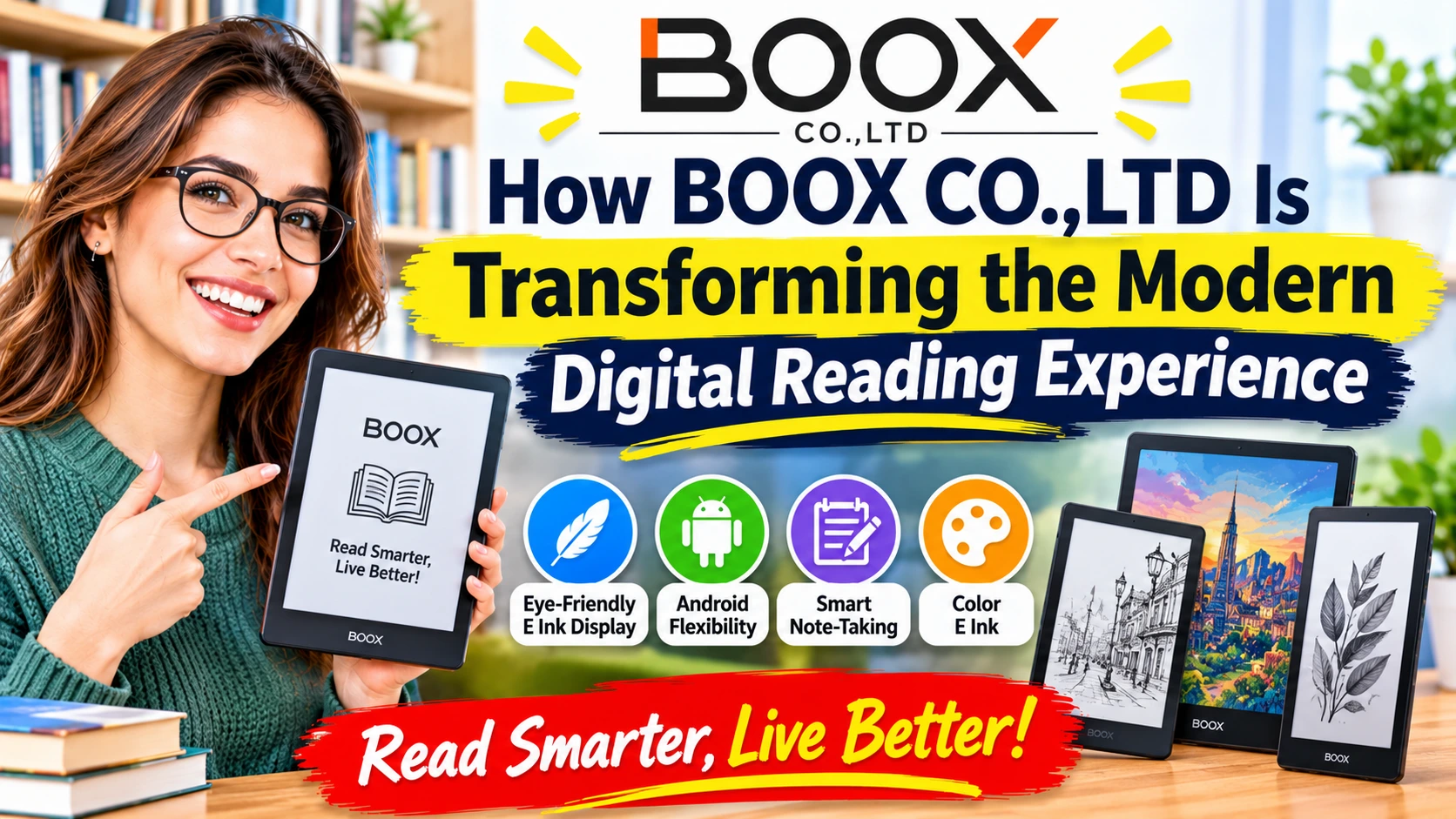
Discover how BOOX CO., LTD is transforming the modern digital reading experience through innovative E Ink technology, Android-powered devices, and advanced digital note-taking features. BOOX combines the paper-like appearance of electronic displays with the flexibility of modern applications, offering a versatile solution for readers, students, researchers, writers, and professionals. From reading e-books and annotating PDF documents to taking handwritten notes and managing digital libraries, BOOX devices are designed to make reading and working with information more convenient. Explore the benefits of color E Ink displays, app compatibility, productivity tools, and digital notebooks while learning how BOOX compares with traditional e-readers and conventional tablets. This guide also examines the advantages, limitations, and important factors to consider before choosing a BOOX device. Whether you want a portable reading companion or a powerful digital workspace, discover how BOOX is helping shape the future of digital reading, learning, and productivity.
Table of Contents
Understanding BOOX CO., LTD and Its Vision
Digital reading has changed dramatically over the past decade. What once meant downloading a book onto a basic e-reader has evolved into a more flexible experience involving digital libraries, handwritten notes, research documents, productivity applications, and multimedia content. At the center of this transformation is BOOX, the brand associated with BOOX devices developed by Onyx International Inc. Its products aim to combine the eye-friendly characteristics of electronic paper with the flexibility of modern smart devices. Instead of limiting users to a single reading platform, BOOX offers devices designed for people who want to read, annotate, organize information, and work digitally.
The company’s approach addresses a common problem with conventional screens: the same device used for reading a novel may also display distracting notifications, bright interfaces, and numerous applications. A dedicated E Ink device offers a different experience, emphasizing readable text, long-form concentration, and a paper-like appearance. At the same time, BOOX devices incorporate features that make them useful for more than books, including support for documents, note-taking, and selected third-party applications. This combination makes the brand relevant to students, writers, professionals, researchers, and readers who want greater control over their digital workflows.
BOOX’s broader contribution to digital reading lies in bringing several activities together in one portable device. A student might read a textbook and annotate a PDF, while a business professional might review a contract and write meeting notes. A novelist could carry an extensive library without filling a bag with printed books. Although the exact experience depends on the model, screen technology, and software version, the central idea remains consistent: digital reading should support the way people learn and work rather than simply replace printed pages with a screen.
The Evolution of Digital Reading Technology
Reading technology has progressed from printed books to dedicated e-readers, tablets, smartphones, and now sophisticated electronic-paper devices that combine reading with productivity tools. Each generation has tried to solve a different problem. Early e-readers made it easier to carry thousands of books, while tablets introduced color displays, web browsing, and interactive applications. However, conventional tablets also introduced a trade-off: the bright, backlit display that makes videos and colorful websites look attractive may not provide the same paper-like experience that many readers prefer for lengthy reading sessions. BOOX CO.,LTD has built its product strategy around addressing this gap, offering electronic-paper devices with increasingly advanced software and hardware.
The change is especially noticeable in devices designed for mixed activities. Modern readers may need to open an EPUB novel, study a PDF, review a spreadsheet, annotate an academic paper, and access a cloud-based reading application during the same day. A traditional e-reader might handle books beautifully but provide limited application flexibility, whereas a standard tablet can handle many applications but delivers a fundamentally different screen experience. BOOX CO.,LTD aims to combine the advantages of both categories. Its devices vary from compact, smartphone-shaped readers to larger digital notebooks, giving users different ways to approach reading and writing without committing to a conventional LCD or OLED screen for every task.
From Traditional E-Readers to Advanced E Ink Devices
Early e-readers were largely designed around a straightforward purpose: displaying digital books. Their interfaces were relatively simple, their application choices were limited, and their main attraction was the ability to read for long periods without carrying physical books. Today’s electronic-paper devices can do much more. Depending on the model, users may access Android applications, organize documents, annotate PDFs, write handwritten notes, listen to audio, and transfer files between devices. BOOX CO.,LTD has helped popularize this more flexible category by pairing E Ink displays with an operating system that supports a broader range of digital activities.
Recent product announcements illustrate the direction of this development. In September 2026, BOOX announced the Note Air6 C, Note Mini C, and Palma 3, highlighting color electronic paper, Android 16, upgraded processing, and improved refresh technology. The Note Air6 C is designed as a 10.3-inch color E Ink notebook, while the Note Mini C targets readers who want a more compact writing and document-reading device. The Palma 3 follows a pocketable, phone-like design intended for reading and everyday digital content. Availability varies by model, so shoppers should check the official store before making a purchase.
This evolution matters because digital reading is no longer limited to consuming text. It increasingly includes interacting with information, recording thoughts, comparing sources, and organizing what has been learned. Consider a researcher who downloads a paper, highlights a paragraph, writes a comment, and then compares the findings with another document. On a suitable BOOX device, these activities can take place within a single digital environment. That does not mean every model is ideal for every workflow, but it demonstrates how electronic-paper technology is moving beyond the basic e-book reader.
How BOOX E Ink Displays Improve Reading Comfort
Security is where payment processing becomes much more serious than simply comparing percentages.a
One of the defining features of BOOX devices is their use of E Ink display technology. Unlike conventional LCD and OLED screens, which generate images using electronic display systems that emit or modulate light, E Ink displays are designed to resemble the appearance of ink on paper. The result is a reading surface that looks different from a typical smartphone or laptop display. Text can appear crisp and stable, making electronic paper appealing to people who spend considerable time reading books, articles, research papers, or long documents.
The distinction becomes particularly noticeable during extended reading sessions. On a conventional tablet, the screen may display animations, colorful graphics, notifications, and other visual elements that compete for attention. An E Ink reader presents content in a more restrained format, encouraging the reader to concentrate on the page. Many BOOX models also include adjustable front lighting, while specific devices provide color displays for content that benefits from visual detail. Lighting arrangements differ by model, however, so it is important to check the specifications rather than assume that every BOOX device has the same features.
Comfort is also influenced by how the reader uses the device. Font size, line spacing, page layout, room lighting, and reading distance all affect the experience. BOOX software offers reading adjustments that can help users customize text presentation for different books and documents. These controls are especially useful when dealing with files that were not originally designed for a small screen. A well-adjusted display can make a long reading session more convenient, although individual preferences and visual needs vary.
It is important to keep expectations realistic. E Ink is not a medical treatment for eye strain, and no display can guarantee that reading will be comfortable for everyone. Small text, poor lighting, long periods without breaks, and unsuitable viewing positions can still cause discomfort. Color E Ink screens may also look less vibrant than standard tablet displays, while refresh behavior can vary with the task and selected settings. The real benefit is the alternative reading experience: BOOX CO.,LTD provides a screen technology that many people prefer for text-heavy work, particularly when reducing reliance on conventional bright displays is a priority.
Businesses handling card payments operate within a complex security environment designed to protect cardholder data and reduce the risk of unauthorized access. Helcim states that it is a Level 1 PCI-DSS compliant payment processor, which represents the highest merchant-service-provider level under the PCI framework. For a business owner, this does not mean that every security responsibility magically disappears. Merchant security still depends on how employees use the system, how devices are configured, how credentials are protected, and how the business handles customer information. However, choosing a processor with mature security infrastructure can reduce the amount of sensitive payment technology a business has to build and maintain independently. Helcim also says that customer sensitive information does not touch an unencrypted server when its systems are used appropriately and that data migration is handled through secure, encrypted vaults. That is important because secure payment processing is ultimately about reducing the number of places where valuable financial data can be exposed. The fewer unnecessary points of exposure a business creates, the easier it becomes to build a sensible security strategy.
Android Flexibility and App Compatibility
A major feature that distinguishes BOOX from many traditional e-readers is its use of Android and support for third-party applications. Instead of restricting users to a single proprietary reading store, compatible BOOX models allow users to install applications for reading, research, cloud storage, note organization, and other activities. The company states that most currently sold models include Google Play Services and the Play Store, although support and activation requirements can differ on older devices. Buyers should check the software specifications of the particular model they intend to purchase.
This flexibility can be especially valuable for readers who already have established digital libraries. Someone who uses a preferred e-book application may want to continue using it rather than migrate an entire collection to another ecosystem. A student might rely on a cloud-storage service for lecture notes, while a professional may use a document application to access work files. Where the relevant apps are compatible, an Android-powered BOOX device can fit into these existing routines more easily than a reader that supports only a limited selection of services.
However, Android compatibility does not mean that every app will behave perfectly on an E Ink screen. Most applications are originally designed for smartphones or conventional tablets, which refresh images differently and usually display color and motion more smoothly. Scrolling through a visually complex website, watching a video, or using an animation-heavy application may not feel as fluid as it does on a modern tablet. Users may need to adjust display modes, contrast, refresh settings, or application layouts to get the best results. Certain applications may also impose their own hardware or software requirements.
The advantage is choice rather than universal perfection. With a compatible BOOX model, readers can select the applications that suit their preferences while benefiting from an electronic-paper display. A person who reads through several services can keep those tools in one place, while another user can focus almost entirely on books and handwritten notes. This open approach makes BOOX appealing to people who dislike being locked into one reading ecosystem. Before buying, it is sensible to identify the two or three applications you use most and confirm that they work as expected on the model under consideration.
BOOX Devices for Students and Academic Researchers
Students and academic researchers often work with more than ordinary books. Their reading material may include lecture slides, scientific papers, textbooks, research reports, scanned documents, and extensive PDF files. They also need to highlight important passages, record questions, and return to specific information weeks or months later. BOOX devices with larger screens and stylus support can bring these activities together, creating a digital workspace for studying and research.
Imagine preparing for an examination with several textbooks and a collection of lecture notes. Instead of carrying every printed document, a student can store supported files on a suitable BOOX device and organize them digitally. Highlighting, handwriting, and document annotation make it possible to interact with the material rather than simply read it. Depending on the software and file format, the student may also adjust text presentation, search documents, or use split-screen functionality to compare information while taking notes. These features can make study sessions more organized, particularly when dealing with a large volume of written material.
For researchers, PDF handling can be one of the most useful capabilities. Academic papers frequently use fixed layouts with charts, equations, footnotes, and multi-column formatting. On a small screen, these details can be difficult to navigate, which is why larger BOOX devices may be more suitable for serious research. The official Note Air5 C product information, for example, describes document annotation, split-screen work, cloud synchronization, and file transfer features intended to support reading and knowledge management. Exact capabilities vary by model and software version.
There are still practical considerations. A digital device does not automatically make someone a better student, and handwritten notes require a clear system if they are to remain useful. Some textbooks contain complex diagrams or colorful illustrations that may be easier to examine on a conventional high-resolution color screen. Certain digital libraries also impose restrictions on downloading or annotating protected material. Students should consider the display size, supported file formats, stylus performance, storage capacity, and compatibility with their university’s learning platforms before purchasing a device.
For the right learner, BOOX can function as a portable digital study desk. It provides a place to read, underline, write, and organize information without requiring a separate notebook for every subject. That is particularly attractive to postgraduate students, academics, and lifelong learners who spend a substantial part of their day working with documents.
Supporting Professionals and Digital Note-Takers
The modern workplace generates an enormous amount of written information. Professionals may review reports, prepare meeting notes, read contracts, annotate presentations, and keep track of ideas across several projects. Switching between a laptop, smartphone, paper notebook, and printed documents can make it difficult to maintain a consistent workflow. BOOX devices offer another option: an electronic-paper workspace where reading and handwritten note-taking can happen together.
For example, a consultant preparing for a client meeting might review a report on a BOOX CO.,LTD notebook, mark the most important findings, and write questions in a digital notebook. During the meeting, the same device may be used to record handwritten notes and organize follow-up tasks. A writer could read reference material and draft ideas, while a manager might review a long document away from the distractions of a conventional computer screen. These are practical examples rather than guaranteed productivity outcomes, but they demonstrate how the device category can support information-heavy work.
Larger BOOX CO.,LTD models are particularly relevant when writing is as important as reading. Stylus-equipped devices allow users to capture handwriting, sketch diagrams, build mind maps, and annotate documents. Selected models also support accessories such as keyboard covers, making basic typing tasks possible. The Note Air5 C, for example, advertises a compatible keyboard cover, stylus features, and tools for organizing handwritten ideas. Buyers should confirm which accessories are included and which must be purchased separately.
Still, BOOX is not a universal laptop replacement. Complex spreadsheets, advanced design software, video editing, and applications that depend on fast animation may work better on a conventional computer. The best use case is often focused reading, annotation, planning, and light productivity. By separating these tasks from the many distractions associated with a general-purpose computer, an E Ink device may help some users create a more deliberate working routine.
The value ultimately depends on the user’s habits. Someone who spends most of the day attending video calls and editing large files may gain little from an E Ink notebook. A professional who regularly reviews long documents and writes by hand may find it far more useful. The strongest BOOX workflow is one that matches the device’s strengths instead of forcing it to imitate a laptop or smartphone.

Color E Ink and the Future of Visual Reading
For many years, electronic-paper displays were primarily associated with black-and-white text. That approach works extremely well for novels, essays, and other text-heavy material, but it can be limiting when a document depends on color. Textbooks use colored diagrams, magazines combine images with captions, and business reports may rely on charts to communicate important information. Color E Ink introduces another dimension to digital reading by allowing compatible devices to display color while retaining the paper-like qualities of electronic paper.
BOOX CO.,LTD offers models that use E Ink Kaleido technology, including color-enabled digital notebooks. The technology is designed to display colored content alongside readable black-and-white text, although color resolution and vibrancy differ from those of conventional LCD and OLED screens. For example, BOOX’s published specifications for several Kaleido 3 models list 300 pixels per inch for black-and-white content and 150 pixels per inch for color content. This difference can affect how detailed colored images and small labels appear.
The practical benefits become clear when reading illustrated learning materials. A student can view a color-coded diagram, a business analyst can inspect a chart, and a reader can browse a magazine without switching to a separate device. Color can also make handwritten notes easier to organize because users may distinguish headings, categories, or important points with different pen colors. For people who annotate documents frequently, this can provide a more flexible experience than a strictly monochrome reader.
BOOX’s newer products show that the company continues to develop color electronic paper alongside improvements in software and performance. The Note Air6 C, announced in September 2026, is positioned as a color E Ink notebook for reading, annotation, and creative work. Its launch also highlights upgraded refresh technology and updated software tools. Such features indicate a broader effort to make electronic paper useful for interactive tasks without abandoning its central role as a text-focused display.
Color E Ink still involves compromises. Colors generally appear more muted than they do on conventional tablets, and certain color display modes can make the overall image look darker. Refresh behavior also varies depending on the display and task. Someone who mainly watches videos, edits photographs, or works with color-critical graphics will probably prefer a conventional screen. But for reading, highlighting, reviewing diagrams, and working with illustrated documents, color E Ink offers a useful middle ground between paper-like presentation and the richer visual content of digital files.
Productivity Features That Go Beyond Reading
BOOX devices have evolved into tools for managing information, not merely displaying it. Depending on the model, users can combine e-book reading, document annotation, handwriting, file management, and selected Android applications. This combination is important because reading is often only the first step in a larger process. People read to learn, make decisions, prepare for meetings, or develop ideas. Tools that help them capture and revisit information can therefore be just as valuable as the display itself.
One useful capability is digital handwriting. A compatible stylus-equipped BOOX device can serve as a notebook for meeting notes, study summaries, diagrams, and personal planning. Digital notes can be easier to organize than loose sheets of paper, especially when users maintain consistent folder structures and naming conventions. Selected devices also provide advanced note-taking features such as handwriting tools, lasso selection, and expanded writing space. The precise set of features depends on the model and firmware version, so buyers should check the specifications of the device they are considering.
Another productivity benefit comes from file synchronization and transfer. Some BOOX models offer cloud synchronization for supported notes and reading materials, along with tools for moving files between the device and a computer or smartphone. These capabilities can reduce the friction involved in maintaining a digital library across several devices. A researcher might read and annotate a document on an E Ink notebook, then access a synchronized file elsewhere when preparing a report. Users should review the relevant service’s privacy settings, storage limits, and compatibility before relying on it for important work.
Newer software releases also demonstrate the direction of BOOX’s development. In October 2026, the company’s official news feed highlighted firmware features including Dual Notes, new writing tools, and Talk Insights. These features suggest an effort to connect reading, writing, and information management more closely within the device environment. However, software availability can vary by model, region, and firmware release, so an advertised feature should not be assumed to work on every BOOX device.
The real productivity advantage comes from choosing features that support a clear purpose. A person who only wants to read novels may not need advanced handwriting tools or split-screen functionality. A researcher who constantly compares documents may benefit from a larger screen and flexible annotation features. Someone who writes extensively may prioritize stylus quality, note organization, and keyboard compatibility. Rather than buying the model with the longest feature list, users should focus on the capabilities that make their everyday tasks easier.
Comparing BOOX With Traditional Tablets and E-Readers
BOOX CO.,LTD occupies a distinctive position between conventional e-readers and general-purpose tablets. Traditional e-readers typically prioritize a straightforward reading experience, while standard tablets focus on color, multimedia, and broad application support. BOOX attempts to combine electronic-paper reading with a more flexible software environment. That approach can be attractive, but it also means the devices involve trade-offs that buyers should understand before choosing one.
The following comparison describes general characteristics rather than every individual product. Features differ across manufacturers and models, and some traditional e-readers now offer handwriting, color displays, or additional applications.
Feature | BOOX E Ink devices | Traditional e-readers | Conventional tablets |
Primary purpose | Reading, annotation, and selected productivity tasks | Primarily reading books | General-purpose computing and media |
Display technology | E Ink, with monochrome and color options | Usually E Ink, depending on model | Usually LCD or OLED |
Third-party applications | Android app support on compatible models | Often a more restricted ecosystem | Broad app ecosystems |
Handwritten notes | Available on compatible stylus-equipped models | Limited or unavailable on many models | Available with supported stylus and apps |
PDF and document work | Strong on suitable larger-screen models | Can be limited by screen size and software | Generally versatile, especially on larger displays |
Color presentation | Available on selected models; generally muted | Varies by model | Usually brighter and more saturated |
Video and animation | Possible on some devices, but not the main strength | Usually limited | Generally much better suited |
Battery life | Often favorable for reading, but varies by use | Often favorable for reading | Highly dependent on display, workload, and battery size |
Learning curve | May require display and app customization | Often straightforward | Familiar to users of smartphones and tablets |
The table reveals why BOOX CO.,LTD appeals to people who want more than a simple e-reader but do not necessarily want to spend all their reading time on a conventional tablet. Its combination of electronic paper and app support provides a flexible alternative. However, greater flexibility can also mean more setup, more settings, and occasional compatibility challenges. A traditional e-reader may be a better choice for someone who simply wants to open a book and start reading without adjusting refresh modes or configuring applications.
Conventional tablets remain the stronger choice for many visual and interactive activities. Their displays are generally better suited to streaming video, gaming, high-quality photography, and animation-heavy applications. They can also be more convenient for tasks that require frequent scrolling or rapid screen updates. BOOX devices are better understood as specialized digital reading and writing tools, not as replacements for every electronic device in a person’s life.
The best choice depends on what matters most to you. If your day revolves around novels, either a traditional e-reader or a BOOX device may work well. If you annotate research papers, read across several apps, and take handwritten notes, BOOX may provide more useful flexibility. If your priorities include entertainment, fast visual interaction, and full-color content, a conventional tablet may be the more suitable purchase.
Choosing the Right BOOX Device
Choosing a BOOX device begins with a simple question: What do you want to do with it most often? Although many models share similar software concepts, their screen sizes, display technologies, physical designs, and accessories can produce very different experiences. A compact reader may be ideal for commuting and casual reading, while a large digital notebook may be much more useful for academic papers or professional documents. Selecting a device based on your main activities is more effective than choosing one solely because it has the newest processor or the longest specification list.
A useful starting point is screen size. Compact devices are easier to carry and hold with one hand, making them convenient for novels, articles, and reading while travelling. Larger screens provide more room for PDFs, diagrams, handwritten notes, and documents that preserve their original page layout. If you routinely read scientific papers or review contracts, a larger display may save you from repeatedly zooming and panning. If you mostly read ordinary e-books, the portability of a smaller device may matter more than extra screen space.
Next, decide whether you need color. A monochrome device is often a sensible choice for readers who focus on novels, text documents, and other material where color adds little value. A color E Ink model may be more useful for illustrated books, educational resources, charts, and color-coded annotations. Keep in mind that color E Ink does not reproduce images in the same vivid way as a conventional tablet. If your work depends on accurate color reproduction, compare the device with your existing screen before committing to a purchase.
Writing requirements deserve equal attention. If you intend to annotate PDFs, handwrite notes, or sketch ideas, look for a compatible stylus and check the quality of the note-taking tools. Consider whether the device supports the file formats you use, whether its screen is large enough for your documents, and whether you need accessories such as a protective case or keyboard. Also confirm storage capacity, connectivity, battery expectations, and any microSD expansion support that may be relevant to your library.
Finally, review software compatibility and total cost. The initial price is only part of the purchase: accessories, replacement pen tips, storage solutions, and other optional items may increase the overall expense. Check the manufacturer’s current product information and support documentation, especially if a particular application is essential to your workflow. A little planning can help you choose a device that feels useful every day rather than impressive only during the first week.
Limitations and Considerations Before Buying
BOOX CO.,LTD offers an interesting combination of electronic paper and modern software, but it is not the perfect solution for every reader. Understanding the limitations is important because these devices often appeal to people who expect them to behave exactly like smartphones or tablets. In practice, E Ink technology has different strengths and weaknesses. It excels at displaying relatively static content, such as book pages and documents, but it can be less responsive when handling rapid scrolling, animations, or visually complex applications. Even with improved refresh technology, users should expect some differences compared with a conventional screen.
The second consideration is the learning curve. Android flexibility gives users more control over applications and workflows, but it can also require additional setup. Depending on the model and software version, a new owner may need to configure application permissions, adjust refresh modes, organize files, and experiment with display settings. People who enjoy customization may appreciate this flexibility. Those who prefer a simple, ready-to-use reading experience might find a more traditional e-reader easier to operate.
Cost is another factor. Advanced BOOX devices can be considerably more expensive than basic e-readers, particularly when they include color displays, large screens, stylus support, or additional productivity features. Whether the price is justified depends on how often those features will be used. A person who reads a few novels each month may not need a sophisticated digital notebook. A professional who reviews documents every day could find the extra functionality more valuable. Comparing current prices, included accessories, warranty coverage, and return policies can help establish whether a model fits your budget.
There are also practical considerations involving compatibility and maintenance. Some Android applications may not display ideally on E Ink, and software updates may introduce different behavior or features depending on the device. Protected e-books may have restrictions on downloading, copying, or annotation. Users should also think about privacy when connecting cloud services or installing third-party applications, especially if they plan to store confidential work documents on the device.
The smartest way to evaluate BOOX is to focus on real-world tasks rather than marketing claims. Ask yourself whether you will regularly use the screen size, note-taking functions, app support, and document tools. If these features solve genuine problems in your daily routine, the device may offer substantial value. If you mainly want a simple book reader or a screen for entertainment, another product category may serve you better.

The Future of BOOX and Digital Reading
The future of digital reading will likely be shaped by the relationship between display technology, software flexibility, and changing reader expectations. People increasingly move between books, research papers, web articles, digital notes, and online documents. They want access to information wherever they are, but they may not want every reading session to involve the same bright screen or distraction-heavy interface. BOOX CO.,LTD is responding to this demand by developing electronic-paper devices that combine reading with writing, application support, and document management.
Recent product announcements show several directions for that development. The September 2026 launch of the Note Air6 C, Note Mini C, and Palma 3 points to a product strategy that serves different needs through different physical designs. The Note Air6 C targets larger-screen reading and productivity, the Note Mini C offers a more compact color notebook format, and the Palma 3 focuses on pocketable electronic-paper use. The devices were announced with Android 16 and updated hardware features, reflecting the company’s continued effort to improve the capabilities of its E Ink platform.
Software will be just as important as hardware. Improved document annotation, better application compatibility, smarter file organization, and more capable note-taking tools could make digital reading more useful for people who work with large volumes of information. Features that help users find, organize, and revisit what they have read may be especially valuable. For instance, a researcher could benefit from a more streamlined way to connect annotations across papers, while a student might value faster access to lecture notes and highlighted passages. These are potential directions for the category rather than promises about every future product.
Artificial intelligence may also influence reading workflows. Tools for summarizing documents, explaining difficult terminology, extracting text, or transcribing spoken notes could reduce the time required to process information. Some BOOX CO.,LTD product and firmware announcements already highlight AI-assisted or audio-related features, although availability and functionality vary by device. Users should evaluate these tools carefully, particularly when handling sensitive information or relying on automated summaries for academic or professional decisions. AI can assist comprehension, but it should not replace checking original sources or verifying important details.
Another important direction is the continued development of color E Ink and refresh technology. Better color presentation could improve the experience of reading illustrated material, while smoother refresh behavior could make navigation and compatible applications feel more responsive. Nevertheless, electronic paper will still have different characteristics from LCD and OLED displays. The likely opportunity is not to make E Ink identical to a conventional tablet screen, but to improve its usefulness while preserving the qualities that make it attractive for reading.
Ultimately, BOOX’s long-term relevance will depend on how well its devices fit into everyday life. Hardware improvements matter, but so do software support, application compatibility, reliability, and the quality of the reading experience. The most successful digital reading tools will be those that help people engage with information more comfortably and productively without adding unnecessary complexity.
Conclusion
BOOX CO., LTD is helping transform the modern digital reading experience by bringing electronic-paper technology together with flexible software, digital handwriting, and document-focused productivity features. Its devices extend beyond the basic e-reader model, offering options for people who want to read books, annotate academic papers, manage work documents, and capture handwritten ideas on one portable device. With compact readers, larger digital notebooks, and color E Ink models, the BOOX product range addresses a variety of reading habits and professional needs.
The brand’s approach is particularly appealing to readers who value a paper-like display but still want access to modern applications. Students can organize study materials, researchers can annotate documents, and professionals can review reports without relying exclusively on a conventional tablet screen. At the same time, BOOX devices have real limitations. Color is generally less vivid than on standard tablets, some applications may require adjustments, and advanced models can represent a significant investment. Buyers should weigh these factors against the tasks they actually need to perform.
As electronic-paper technology continues to evolve, improvements in displays, software, and note-taking tools may make digital reading even more versatile. BOOX is part of that evolution, demonstrating that an e-reader can be more than a place to store books. For people who want to read deeply, work with documents, and organize information in a more focused digital environment, BOOX offers an alternative worth considering. The right device will depend on individual priorities, but the broader trend is clear: modern digital reading is becoming more flexible, interactive, and closely connected to the way people learn and work.
Frequently Asked Questions
Q. What Is BOOX CO., LTD Known For?
BOOX is a brand known for electronic-paper devices that combine E Ink displays with digital reading and productivity features. Its product range includes compact e-readers and larger digital notebooks designed for reading e-books, reviewing PDFs, annotating documents, and taking handwritten notes. Compatible models also support Android applications, providing more flexibility than many traditional e-readers. The company focuses on helping users combine paper-like reading with convenient digital tools.
Q. Are BOOX Devices Better Than Traditional E-Readers?
BOOX devices may be a better choice for users who need advanced features such as third-party applications, document annotation, and digital handwriting. Traditional e-readers can be preferable for people who want a simple, affordable device dedicated primarily to reading books. The right option depends on your reading habits, preferred software, budget, and need for productivity features. Comparing individual models is more useful than assuming one category is always superior.
Q. Can You Use Android Apps on BOOX Devices?
Yes. Compatible BOOX devices run Android and support third-party applications, with most currently sold models offering Google Play Services and the Play Store. However, app compatibility and performance can vary because E Ink screens behave differently from conventional smartphone and tablet displays. Before purchasing a device, check whether your essential reading, note-taking, and cloud-storage applications are supported and work as expected.
Q. Are BOOX Devices Suitable for Students and Professionals?
Yes. BOOX devices with appropriate screen sizes and stylus support can be useful for students, researchers, writers, and professionals who frequently work with documents. They can support activities such as reading textbooks, annotating PDFs, recording handwritten notes, and reviewing reports. Larger models are generally more suitable for detailed documents, while compact models offer greater portability. Users should consider their required file formats, application compatibility, and note-taking needs before selecting a device.
Q. Is Helcim suitable for every type of business?
Not necessarily. Helcim can be particularly attractive to small and medium-sized businesses that value transparent pricing and process enough payment volume for Interchange Plus to make economic sense. However, businesses with very small average transaction amounts, unusual card mixes, extensive international processing, or highly specialized requirements should compare their actual transaction economics before switching. Helcim itself notes that some low-ticket businesses and businesses processing certain higher-cost rewards or corporate cards may not always save as much under Interchange Plus.
Table of Contents
You May Also Like

How PatPat Is Changing the Way Parents Shop for Affordable Kids’ Clothing
official.times.software
November 23, 2026
Read More »
The Ultimate Guide to Using ActivTrak for Better Workforce Productivity
official.times.software
November 23, 2026
Read More »

Exploring Audiobooks.com: What Makes This Platform Popular Among Book Lovers?
official.times.software
November 22, 2026
Read More »

Finding the Right Skincare Routine: Exploring the Products Offered by Sunday Riley
official.times.software
November 22, 2026
Read More »

A Detailed Review of Maxaroma: Product Quality, Variety, and Customer Experience
official.times.software
November 22, 2026
Read More »